Learn
The Complete Guide to Usability Testing Tools
Definition, methods, and how to choose the right tools for effective usability testing
What is usability testing?
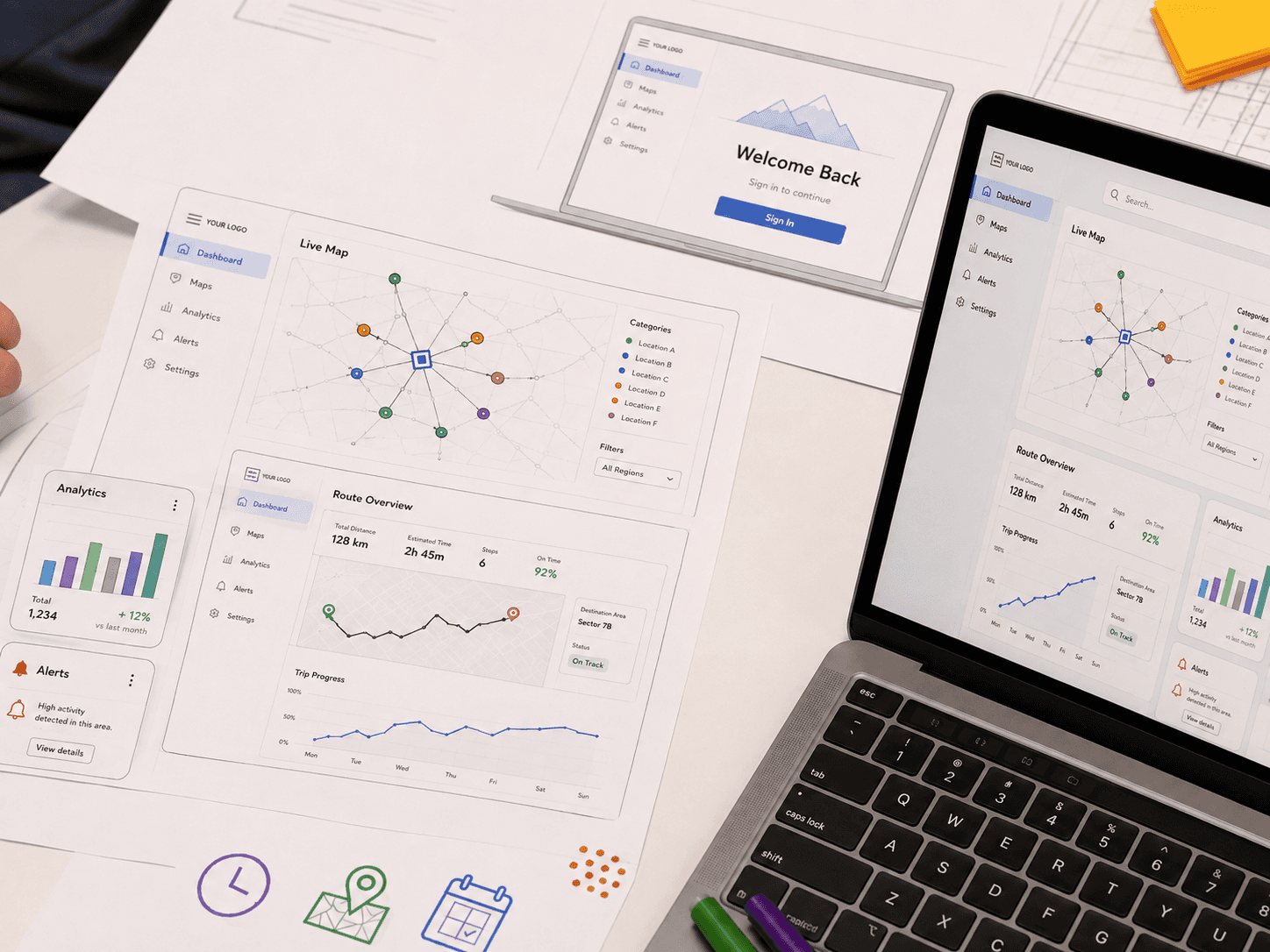
Usability testing involves observing your customers attempt real tasks with a product, prototype, or website to identify where they hesitate, fail to execute intent, or misunderstand the next steps.
Many types of applications can benefit from usability testing, especially websites, mobile applications, software platforms, and other digital products or services.
Why is usability testing important?
In 2026, the average cart abandonment rate is just over 70%. In some cases, it comes down to user intent. But more frequently, it stems from issues with the site’s usability. Baymard Institute’s checkout research finds that large e-commerce sites can lift conversions by an average of 35% through better checkout design alone. That kind of improvement starts by watching where users struggle.
By doing the necessary usability testing to understand where friction exists, design and product teams can fix it before it turns into abandoned online carts or piles of support tickets.
Real outcomes: how Cognition doubled activation
Usability testing catches the hiccups that would otherwise get missed. Cognition, the team behind the AI software engineer Devin, could see in their analytics where new users dropped off during onboarding but not why.
Using Listen Labs, they ran a study pairing interviews with screen recordings of first-time users. The sessions surfaced what dashboards never could: permission blockers, trust hesitation, an interface users found overwhelming (“too many buttons”), and a discoverability failure where users asked for a feature that already existed but couldn’t be found. Because the engineers watching the sessions were the same people shipping the product, fixes went out in a two-week sprint.
The result: the share of users who went from landing page to merging a pull request through Devin doubled.
“Without Listen, we would have moved much slower,” said Theodor Marcu, Head of Product Growth at Cognition.
Usability testing use cases by industry
E-commerce.
Test checkout flows, product pages, and on-site search to find where shoppers abandon before they convert.
Technology and SaaS.
Validate prototypes, smooth onboarding, and surface feature discoverability gaps before they cap activation.
Financial services.
Test comprehension and trust in complex, high-stakes flows where confusion directly costs conversions.
Types of usability testing
The method of usability testing that your team selects should be based on what your team needs to learn and where your product is in its lifecycle.
Before you decide on the details of the method, there are a few larger questions that need to be answered. Particularly, will your tests be moderated or unmoderated, and will they be remote or in-person?
Moderated vs. Unmoderated
Moderated | Unmoderated |
|---|---|
This is where a facilitator (or AI moderator) guides the session and probes in real time. Moderated usability testing is best for uncovering deep insights into why people behave in certain ways. It’s also useful when your team is testing complex flows or environments the user will likely find unfamiliar. | Participants in unmoderated usability tests complete the tasks independently, in their own time. This offers greater speed, a larger scale, and a lower cost per session. It’s better for getting a large number of eyes or hands on the product or design your team is trying to test. |
Remote vs. In-Person
Remote | In-Person |
|---|---|
In remote usability tests, the facilitator and participant are in separate locations, or the test is conducted asynchronously (unmoderated). An online testing tool is usually required to deliver testing instructions to the user as well as recordings and metrics to the researcher. | This method involves participants visiting an office or lab to engage in the usability tests. It allows researchers to make closer observations about emotions the user experiences, their body language while testing, and closer engagement over the course of the test. |
Within these broad categories, there is room for various methods of user testing:
Quantitative testing
This is more focused on measurements like success rates, time on task, or error counts. It’s great for setting benchmarks and tracking progress over time.
Formative testing
It takes place in the early stages of a design process to shape the creation of a product or website rather than evaluate something that’s already in use.
Summative testing
This should be scheduled when the product is ready to ship and establishes the product’s readiness. It’s best as a last test before launch to ensure the final product results in user satisfaction and performs all the necessary functions.
Lab usability testing
It takes place in an observed environment with a trained moderator. This is a moderated, in-person method that yields rich data on the user’s thought process as they take actions on the website or use the product.
Contextual inquiry
This is the unmoderated, remote version of a lab usability test. The idea is to see how a user would engage with the service or product in their natural environment so your team can identify hidden needs and pain points that might not arise in a more controlled environment.
Guerrilla usability testing
This is the least controlled method. A research team goes out in public and approaches people to ask them to participate in a quick usability test; it’s low cost and can gather a diverse array of opinions, but is less likely to lead to high-quality data and severely limits the time with each user.
Comparative or A/B testing
It places two or more designs or competitors in the environment for back-to-back use or by parallel sets of users. Users are observed using both systems, and if they are using more than one, they are asked how their experience compared. If not asked directly, researchers can observe how the process went with both products and make judgments for themselves about improvements or which design to pursue.
Video user interview tests
It allows for behavioral observations in a remote format. Users complete tasks and give verbal feedback on their experience so researchers can watch body language and on-screen engagement with the website or product at the same time. This kind of interview is where AI-moderated research can offer the most support.
The three categories of usability testing tools
Most usability testing platforms fall into one of three buckets:
Unmoderated task platforms send participants a scripted set of tasks and collect recordings and metrics. Strong on speed and scale.
Session replay and analytics tools record real traffic on your live product. Excellent for spotting where friction occurs but without insight into why.
AI-moderated research platforms run live sessions in which an AI moderator watches the participant’s screen, asks adaptive follow-up questions, and analyzes results automatically. Combines scale with depth of insights.
Listen Labs sits in the third category, built for teams that need both the what and the why without waiting weeks for either.
AI usability testing: ending the depth vs. scale tradeoff
Historically, teams had to trade depth for scale. Moderated, in-person sessions allowed for dynamic follow-up but were expensive and slow. Meanwhile, unmoderated, remote sessions scaled quickly and more cost-effectively but didn’t allow researchers to ask participants “why.”
AI-moderated usability testing reduces that trade-off. Listen Labs’ AI usability testing platform:
Recruits from a 30M+ network of verified participants, conducting hundreds of interviews simultaneously and screening for bad responses.
Asks personalized follow-ups — in 100+ languages — giving teams the depth of moderated sessions.
Records users as they engage online and answer questions, offering the behavioral observations that used to be reserved for in-person sessions.
Keeps data collection and transcription all on one secure platform trusted by healthcare and enterprise-grade organizations.
Instantly analyzes hundreds of interviews, pulling out key themes so that insights that used to take weeks to uncover are instead delivered in hours.
How AI usability testing works
AI-moderated usability testing compresses a four-to-six-week qual cycle into hours. Here’s the workflow:
Step | What Happens |
|---|---|
| AI co-creates your discussion guide and task scenarios in seconds. |
| Pull verified participants from a 30M+ global network, or bring your own users; screener logic filters to your exact audience. |
| Participants share their screens while completing tasks. The AI moderator watches, asks follow-ups when users hesitate, and adapts across 100+ languages. |
| Themes, friction points, and emotional signals surface without manual coding; reports auto-generate in under a minute. |
| Highlight reels and executive-ready reports turn raw sessions into tickets and decisions. |
How to choose a usability testing platform in 2026
Not all usability testing tools do the same job. Ask these questions before you commit:
Does the tool just capture what happened, or does it probe into why it happened?
Does the platform have a verified panel, including access to niche B2B audiences?
Does the platform include fraud detection?
Can it work with varied stimuli — Figma prototypes, live sites, mobile, images, video — so you can test at any product stage?
How fast is the process end to end? Can you complete a study within 24 hours?
Does it auto-generate themes, highlight reels with interview clips, and slide-ready reports?
How broad and reliable is its multilingual support?
Is it compliant with SOC 2 Type II, GDPR, and ISO 27001/27701/42001 — and is there a guarantee that user data won’t be used to train AI models?
Listen checks every box, which is why enterprise organizations, healthcare companies, and tech leaders trust it to support their research teams.
Usability testing FAQs
What’s the difference between moderated and unmoderated usability testing?
Moderated testing has a facilitator guiding the session and probing in real time, which yields deeper “why” insight. Unmoderated testing has participants complete tasks alone, which is faster and cheaper at scale. AI moderation bridges the two: it probes dynamically like a moderator while running at unmoderated scale and cost.
When should you run usability testing?
Continuously, across the product lifecycle. At the prototype stage, it validates designs before you build, catching costly problems early. After launch, it reveals friction that only appears with real traffic. Because AI moderation makes each round fast and affordable, testing can become an ongoing habit rather than a one-off event.
Is AI user testing the same as AI usability testing?
The terms are often used interchangeably. Strictly, AI user testing refers to any AI-assisted user research such as interviews, surveys, and concept tests. AI usability testing, on the other hand, means task-based product testing with an AI moderator. Platforms like Listen support both on the same infrastructure.
How does AI usability testing work, and is it as good as a human moderator?
An AI moderator guides each session, watches the user’s screen, and asks personalized follow-up questions. After the session, an AI moderator then analyzes results automatically. It offers advantages a human can’t match at scale: perfect consistency, no scheduling, 100+ languages, and the ability to run dozens of sessions at once, while still probing the why behind user behavior.
See how Listen has helped leading organizations hear more from their customers. Book a demo


Use Case
© 2026 Listen Labs • All rights reserved